
GitHub: https://github.com/Brian-Jiang/PragmaTimeline
Unity Asset Store: https://u3d.as/33T7
OpenUPM: https://openupm.com/packages/com.xiaojiang.pragmatimeline
Pragma Timeline is a powerful Unity plugin designed to streamline the process of playing and binding timelines at runtime, offering a flexible solution for developers. Unity’s Timeline system allows for cinematic sequences and in-game events, but playing them at runtime—especially with dynamic scene objects—can be complex. Pragma Timeline makes this process simple, supporting both Generic Binding and Exposed Reference Binding, including custom tracks and clips.
Key Features
- Runtime Control: Seamlessly bind and play timelines at runtime, dynamically controlling scene objects and restoring control once the timeline finishes.
- Nested Timelines: Easily manage and play nested timelines at runtime, with support for hierarchical bindings through nested dictionaries.
- Preview Mode: Preview timelines within the editor as if you were running the game, enhancing the development workflow.
How It Works
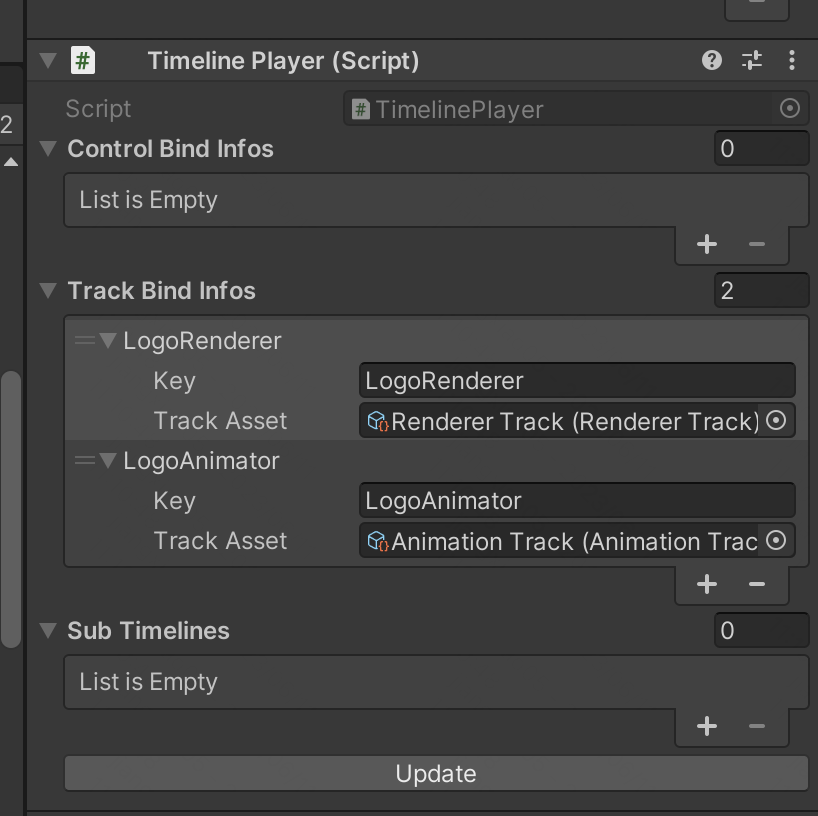
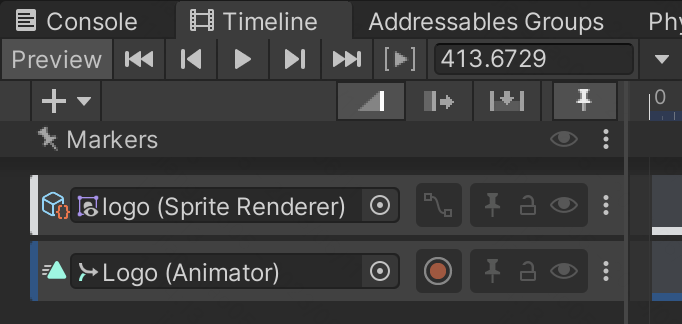
- Generic Binding: Pragma Timeline simplifies the process of binding runtime objects to timeline tracks. Typically, Unity’s timeline doesn’t save scene object references, but Pragma Timeline enables you to map objects using a dictionary and bind them by name. This allows dynamic objects to be controlled during the timeline playback, avoiding issues where bindings are lost when switching between scenes or prefabs.
- Exposed Reference Binding: With Exposed Reference Binding, you can link scene objects to timeline clips via unique identifiers. Pragma Timeline automatically saves and restores these bindings, ensuring that scene objects like characters, cameras, or UI elements are dynamically referenced during runtime.
- Playable API Integration: Internally, Pragma Timeline utilizes Unity’s Playable API to handle timeline playback, ensuring that all bindings and playable assets are properly saved and restored. This allows for a smooth and seamless experience when playing timelines in-game, with the added flexibility of easily managing complex bindings.
Why Use Pragma Timeline?
Pragma Timeline greatly simplifies working with Unity timelines at runtime. Rather than manually setting and restoring object bindings, developers can use Pragma Timeline’s intuitive interface to manage bindings efficiently through the inspector. It also supports nested timelines and allows dynamic control over scene objects, improving both efficiency and performance.
In addition, Pragma Timeline provides auto-generated documentation using Docfx, which is continuously updated through a GitHub workflow, ensuring up-to-date information and testing for valid merges. You can explore the documentation here.
Whether you are working on in-game cutscenes, cinematic sequences, or dynamic event-driven content, Pragma Timeline provides a flexible and powerful solution for handling timelines at runtime in Unity.
 Xiao Jiang - Brian